What Is OpenShift AI? Red Hat OpenShift AI278
- KR NETWORK CLOUD
- September 16, 2026
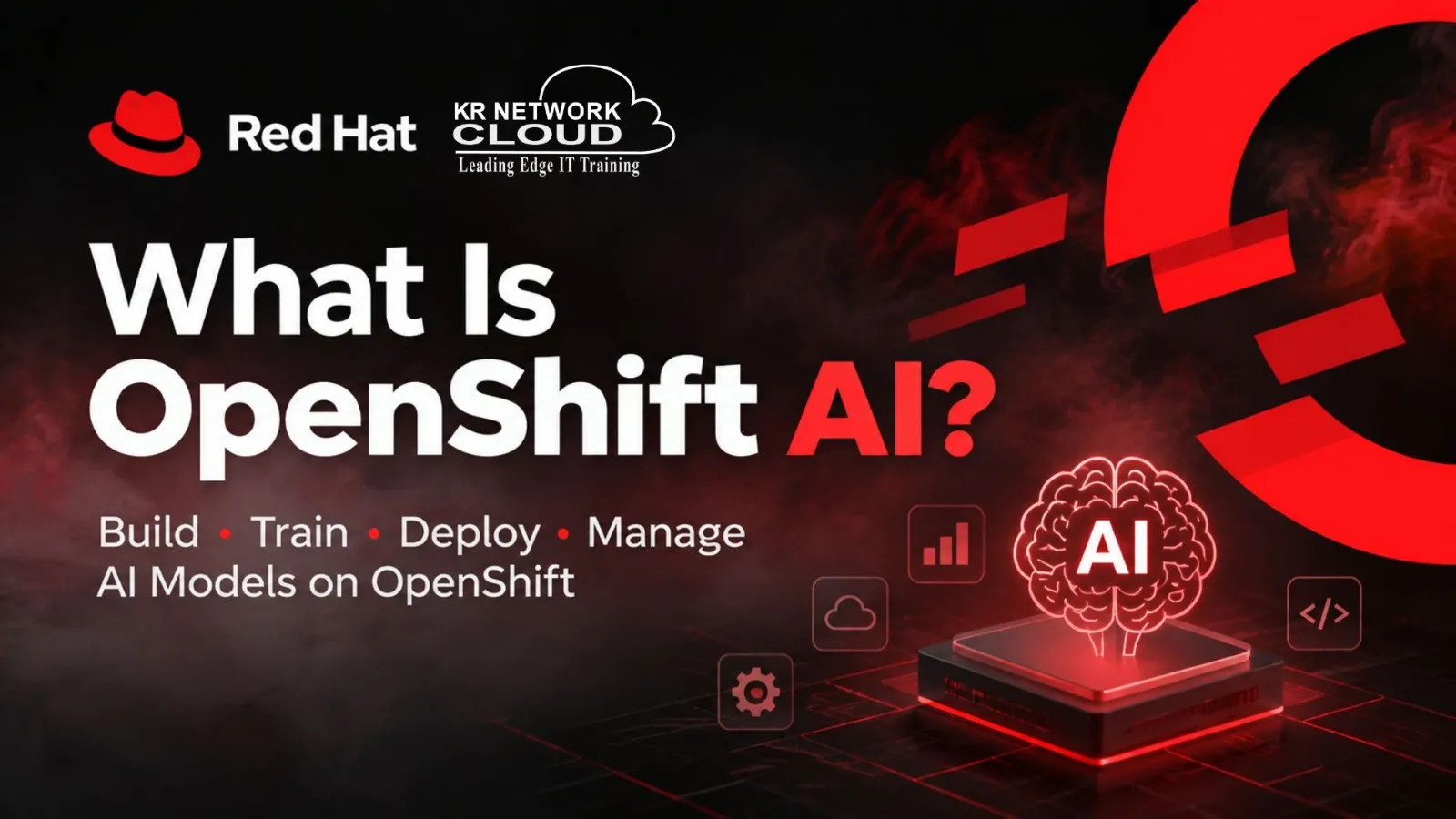
What Is OpenShift AI? A Simple Guide to Red Hat OpenShift AI
AI and machine learning projects need more than a model. A team also needs a place to write code, work with data, train models, test them, deploy them, and keep an eye on them after deployment.
This is where Red Hat OpenShift AI comes in.
OpenShift AI is a platform from Red Hat for building, training, deploying, and managing AI and machine learning models and applications. It runs on Red Hat OpenShift and gives data scientists, developers, and IT teams tools to work on AI projects in one environment.
OpenShift AI can be used with supported OpenShift setups in on-premise data centers, cloud environments, edge locations, and disconnected environments.
What Is OpenShift AI?
OpenShift AI is Red Hat’s platform for developing, training, deploying, serving, and monitoring AI and machine learning models.
It is built on top of Red Hat OpenShift.
The easiest way to understand the difference is:
OpenShift provides the platform for running containers and applications.
OpenShift AI adds tools and services for AI and machine learning work.
For example, a company may already use OpenShift to run its websites, APIs, databases, and other applications. With OpenShift AI, the same OpenShift environment can also be used for machine learning and AI workloads.
OpenShift AI supports different stages of an AI project, from writing and testing code to putting a trained model into use.
Why Do Companies Use OpenShift AI?
Training a machine learning model is only one part of an AI project.
Consider a simple fraud detection project.
A data scientist first needs data. The data has to be cleaned and prepared. The team then writes code, trains a model, checks its results, and decides if the model is ready to use.
After that, the model needs to be deployed so that another application can use it.
The team may also need to check how the model performs over time and train it again when new data is available.
OpenShift AI provides tools for many of these tasks.
This means teams can use one OpenShift-based environment for:
- Developing models
- Preparing data
- Training models
- Running AI pipelines
- Deploying models
- Serving models to applications
- Working with generative AI
- Managing AI workloads
The exact features available depend on the OpenShift AI version and setup.
How Does OpenShift AI Work?
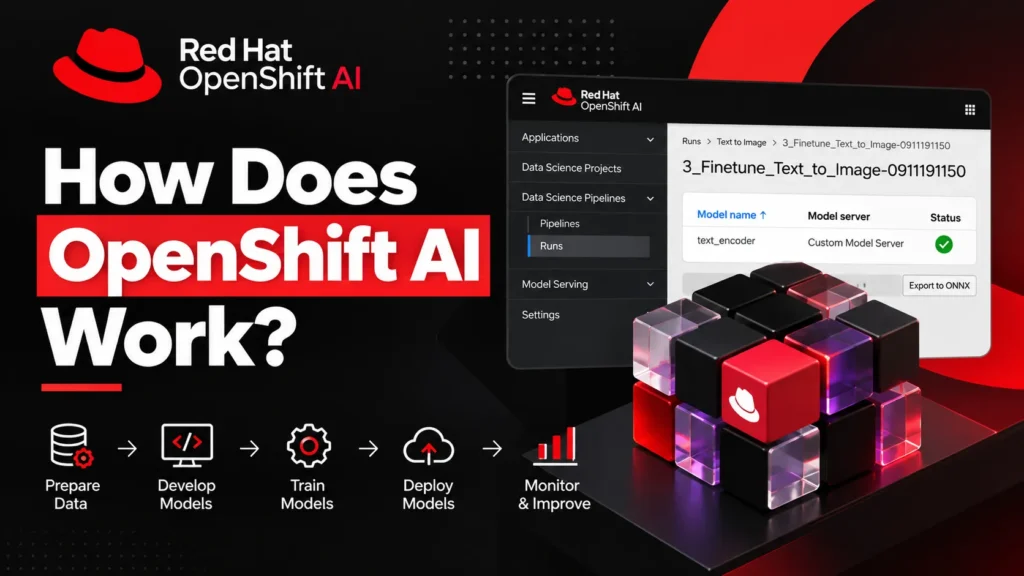
A simple OpenShift AI workflow looks like this:
Data → Development → Training → Testing → Deployment → Model Serving → Monitoring → Retraining
A data scientist can start by creating a project and setting up a workbench.
The workbench provides a place to write Python code, work with data, test ideas, and train models.
Once a model is ready, the team can use AI pipelines to run a set of tasks in a fixed order. The trained model can then be deployed and made available to an application.
The team can monitor the model and run the training process again when needed.
This makes the process easier to repeat instead of doing every step manually.
Red Hat’s documentation gives examples of workflows that include model development, training, deployment, and the use of pipelines.
OpenShift AI Architecture
OpenShift AI runs on Red Hat OpenShift.
At the bottom is the OpenShift platform. It provides the Kubernetes-based infrastructure needed to run containers and services.
OpenShift AI then adds services used for AI and machine learning.
A simple view of the setup is:
Users
↓
OpenShift AI
Workbenches | AI Pipelines | Model Serving | Model Registry | RAG
↓
Red Hat OpenShift
Containers | Kubernetes | Storage | Networking | Compute
↓
Infrastructure
On-Premise | Cloud | Edge | Disconnected Environments
The exact architecture can change based on the OpenShift AI release and the services installed.
The current Red Hat documentation lists services such as the dashboard, workbenches, AI pipelines, model serving, distributed workloads, and RAG-related services.
Main Components of OpenShift AI
OpenShift AI has several parts. Each one has a different job.
OpenShift AI Dashboard
The dashboard is the main web interface for OpenShift AI.
Users can use it to access projects, workbenches, models, pipelines, and other services.
Administrators can also use the dashboard to manage parts of the OpenShift AI environment.
Data Science Projects
Projects help teams keep their AI work organized.
A project can contain workbenches, data connections, models, pipelines, and other resources.
For example, a company could create one project for a fraud detection application and another for a customer support chatbot.
Keeping these resources in separate projects makes it easier for teams to manage their work.
Workbenches
A workbench is a development environment used by data scientists and AI developers.
It provides a place to write code, work with data, test models, and run machine learning tasks.
OpenShift AI supports development tools such as JupyterLab and code-server. Other tools may be available depending on the version and setup.
The workbench runs as a container on OpenShift. Users can access the development environment through a web browser.
For example, a data scientist can open JupyterLab in a browser and use Python to work on a machine learning project.
Workbench Images
A workbench needs software and libraries to run machine learning code.
OpenShift AI provides workbench images that contain development tools and machine learning libraries.
Administrators can also create custom images when a team needs specific software or libraries.
This can help teams use similar development environments across different projects.
AI Pipelines
AI pipelines are used to run a series of machine learning tasks.
For example, a pipeline could follow this process:
Get data → Clean data → Train model → Test model → Save model → Deploy model
Instead of running every task by hand, the team can create a pipeline and run the steps in order.
OpenShift AI provides AI Pipelines based on Kubeflow Pipelines. Pipelines can also be used for repeated jobs and scheduled runs.
This is useful when a company needs to train a model again and again as new data becomes available.
Model Serving
A trained model needs a way to receive requests from an application.
This is the job of model serving.
With model serving, a trained model can run as a service. An application can send data to the model and receive a result.
For example, imagine a fraud detection model.
A banking application can send transaction details to the model. The model can then return a result that helps the application decide if the transaction may be fraudulent.
OpenShift AI provides model-serving tools for this type of use.
Distributed Workloads
Some AI workloads need a lot of computing power.
A single computer may not be enough to train a large model or process a large dataset.
OpenShift AI supports distributed workloads that can use multiple nodes for certain AI and machine learning tasks.
OpenShift AI can also use supported hardware accelerators such as GPUs for AI workloads. The available hardware support depends on the OpenShift AI version and the environment.
Model Registry
A model registry helps teams keep track of machine learning models.
Teams may create many versions of a model during development. Keeping information about these versions helps them know which model was trained, which version was tested, and which model is being used.
Model registry capabilities are part of the OpenShift AI toolset, with the exact features depending on the version and configuration.
Retrieval-Augmented Generation
OpenShift AI also supports work with generative AI.
One important concept is Retrieval-Augmented Generation, commonly called RAG.
RAG allows an AI application to find relevant information from a data source before asking a language model to generate an answer.
For example, a company could build an internal chatbot that answers questions about company documents.
The application can search the company’s documents, find information related to the question, and provide that information to the language model.
The model can then use the retrieved information to create its answer.
Current OpenShift AI documentation includes RAG-related services that use large language model inference, semantic retrieval, and vector database storage.
OpenShift AI and MLOps
MLOps means managing machine learning work from development through production.
A machine learning project usually has several steps:
Data preparation
Model development
Model training
Model testing
Model deployment
Model monitoring
Model retraining
These steps may need to be repeated many times.
OpenShift AI provides tools that can help with this process.
Workbenches can be used for development. AI Pipelines can run repeatable ML tasks. Model serving can make trained models available to applications.
This makes OpenShift AI useful for teams that need to move machine learning projects from development into production.
OpenShift AI for Generative AI
Generative AI has created new types of workloads for IT teams.
Companies may want to build chatbots, document assistants, search systems, RAG applications, or other AI-based software.
OpenShift AI supports work with generative AI models and applications. Red Hat also positions OpenShift AI for model serving, model customization, RAG, and other AI workloads.
A team can use OpenShift AI for projects such as:
- AI chatbots
- Internal company assistants
- Document question-answering systems
- RAG applications
- Large language model applications
- AI-powered business applications
- Traditional machine learning models
The features available for each type of project depend on the OpenShift AI version and installed services.
OpenShift AI vs OpenShift
OpenShift and OpenShift AI are closely related, but they are not the same thing.
OpenShift is Red Hat’s Kubernetes-based platform for running containerized applications.
OpenShift AI adds tools for AI and machine learning work on top of OpenShift.
Here is a simple comparison:OpenShift OpenShift AI Container platform AI and ML platform built on OpenShift Based on Kubernetes Uses OpenShift as its base Runs containerized applications Builds and runs AI/ML workloads Used by developers and IT teams Used by data scientists, ML engineers, developers, and MLOps teams Provides core platform services Adds AI and ML tools
So, OpenShift AI does not replace OpenShift.
It uses OpenShift as the platform underneath.
Where Can OpenShift AI Be Used?
OpenShift AI can be used in different types of infrastructure.
Depending on the product version and supported setup, organizations can run it in:
- On-premise data centers
- Public cloud environments
- Private cloud environments
- Edge locations
- Disconnected environments
This can be useful for companies that have different infrastructure needs.
For example, a company may keep sensitive data in its own data center while running other workloads in the cloud.
OpenShift AI’s support for different OpenShift environments gives organizations more options for where they run their AI workloads.
OpenShift AI Use Cases
OpenShift AI can be used for many AI and machine learning projects.
Fraud Detection
A financial company can train a model to identify transactions that may be fraudulent.
The trained model can then be deployed and used by an application to check new transactions.
Predictive Maintenance
Manufacturing companies can use machine learning models to study equipment data and predict possible failures.
This can help maintenance teams decide when equipment needs attention.
Customer Support Chatbots
Companies can build AI assistants that answer customer questions.
With RAG, the assistant can also use company documents or other approved data sources when generating answers.
Document Search
An organization can build a system that allows employees to ask questions about internal documents.
The system can find related information and send it to an AI model to produce an answer.
Model Training
Data science teams can use OpenShift AI workbenches and pipelines to develop and train machine learning models.
AI Model Deployment
After training, teams can deploy models as services so that other applications can use them.
Benefits of OpenShift AI
OpenShift AI can be useful for organizations that already use Red Hat OpenShift or want to run AI workloads on a Kubernetes-based platform.
One benefit is that AI workloads can run on the same OpenShift platform used for other applications.
Workbenches give data scientists a place to develop and test models.
AI Pipelines can reduce manual work in repeated ML processes.
Model serving provides a way for applications to use trained models.
OpenShift AI can also support different infrastructure types, including supported on-premise, cloud, edge, and disconnected environments.
Still, OpenShift AI is not automatically the right choice for every organization. The decision depends on factors such as existing OpenShift infrastructure, AI workloads, team skills, hardware, security needs, and budget.
Who Should Learn OpenShift AI?
OpenShift AI is useful for people working in AI, machine learning, cloud, and IT infrastructure.
Data scientists can use it to develop and train models.
Machine learning engineers can work with model deployment and serving.
MLOps engineers can work with pipelines and ML workflows.
DevOps engineers can learn how AI workloads run on OpenShift and Kubernetes.
Platform engineers can work with the infrastructure needed by AI teams.
Cloud engineers can also benefit from understanding how AI workloads can run across different OpenShift environments.
People who already know Linux, Kubernetes, Docker, OpenShift, Python, or cloud platforms may find these skills useful when learning OpenShift AI.
What Skills Do You Need to Learn OpenShift AI?
You do not need to know every AI technology before starting.
A basic understanding of the following areas can help:
Linux: Useful for working with servers and command-line tools.
Containers: Understanding how container images and containers work.
Kubernetes: Knowledge of pods, deployments, services, namespaces, and cluster resources.
OpenShift: Familiarity with OpenShift makes it easier to understand the platform behind OpenShift AI.
Python: Python is widely used for data science and machine learning.
Machine Learning: Basic knowledge of training, testing, inference, and model evaluation.
MLOps: Understanding how models move from development to production.
Git: Useful for managing source code.
APIs: Helpful for understanding how applications communicate with model-serving services.
Having these skills can make it easier to understand how the different parts of OpenShift AI fit together.
Is OpenShift AI Only for Data Scientists?
No.
Data scientists are an important user group, but they are not the only people who work with OpenShift AI.
A data scientist may spend most of their time using a workbench to write code and train models.
An ML engineer may work on model deployment.
An MLOps engineer may build and manage pipelines.
A DevOps or platform engineer may manage the OpenShift infrastructure and resources used by AI teams.
This means OpenShift AI can involve several IT roles.
OpenShift AI vs Traditional AI Development
In a basic AI project, a data scientist may use several different tools for different tasks.
One tool may be used for coding. Another may be used for data storage. Another may be used for model training. A separate system may be used to deploy the model.
OpenShift AI brings many of these tasks into an OpenShift-based environment.
It does not mean that every external tool is removed. Teams can still use other tools and services where needed.
The main idea is to give AI teams a common platform for development and production work.
Frequently Asked Questions
What is OpenShift AI used for?
OpenShift AI is used to develop, train, deploy, serve, and manage AI and machine learning models and applications.
Is OpenShift AI the same as OpenShift?
No. OpenShift is a Kubernetes-based container platform. OpenShift AI adds AI and machine learning tools and services on top of OpenShift.
Does OpenShift AI support generative AI?
Yes. OpenShift AI supports generative AI workloads, including capabilities related to model serving and RAG. The available features depend on the OpenShift AI version and configuration.
What is a workbench in OpenShift AI?
A workbench is a development environment where data scientists and AI developers can write code, work with data, test models, and perform other machine learning tasks. OpenShift AI supports tools such as JupyterLab and code-server.
What is model serving in OpenShift AI?
Model serving allows a trained model to run as a service. An application can send a request to the model and receive its result.
Does OpenShift AI support GPUs?
Yes. Supported OpenShift AI setups can use hardware accelerators such as NVIDIA GPUs, AMD GPUs, and Intel Gaudi accelerators. The supported hardware depends on the version and setup.
Is OpenShift AI useful for DevOps engineers?
Yes. DevOps engineers who work with OpenShift and Kubernetes can benefit from learning how AI workloads use containers, cluster resources, storage, networking, and automation.
Is OpenShift AI an MLOps platform?
Yes. OpenShift AI provides tools that support MLOps work, including development environments, AI pipelines, model serving, and other services used during the machine learning lifecycle.
Final Thoughts
OpenShift AI brings AI and machine learning work to the OpenShift platform.
It gives teams tools for developing models, working with data, training models, creating AI pipelines, deploying models, and building AI applications.
Some of its main parts include workbenches, AI Pipelines, model serving, distributed workloads, model management, and RAG capabilities.
The platform is especially relevant for organizations that already use Red Hat OpenShift and want to run AI workloads on the same platform.
For IT professionals, OpenShift AI also connects several areas of technology: Linux, Kubernetes, containers, OpenShift, Python, machine learning, cloud computing, and MLOps.
Since OpenShift AI features can change between releases, always check the Red Hat documentation for the specific version before planning or setting up a production environment.