What is Azure DevOps? Complete Beginner Guide in 2026

- KR NETWORK CLOUD
- February 24, 2026
What is Azure DevOps? Complete Beginner Guide in 2026
Cloud professionals often work with Azure services daily. However, many still ask one important question. What is Azure DevOps beginner guide and why does it matter in 2026?
You may already deploy VMs, manage Kubernetes, or design cloud networks. Professionals strengthening their Linux system administrator skills in 2026 understand how infrastructure stability supports DevOps automation. However, building and running applications at scale requires more than infrastructure. It requires structured development, testing, collaboration, and automation. Therefore, understanding Azure DevOps for beginners is not about learning cloud basics. Instead, it is about mastering the workflow that connects teams, code, and delivery.
In this What is Azure DevOps beginner guide, you will understand how the platform fits into modern SDLC, how CI/CD works in real projects, and how you can start using it confidently.
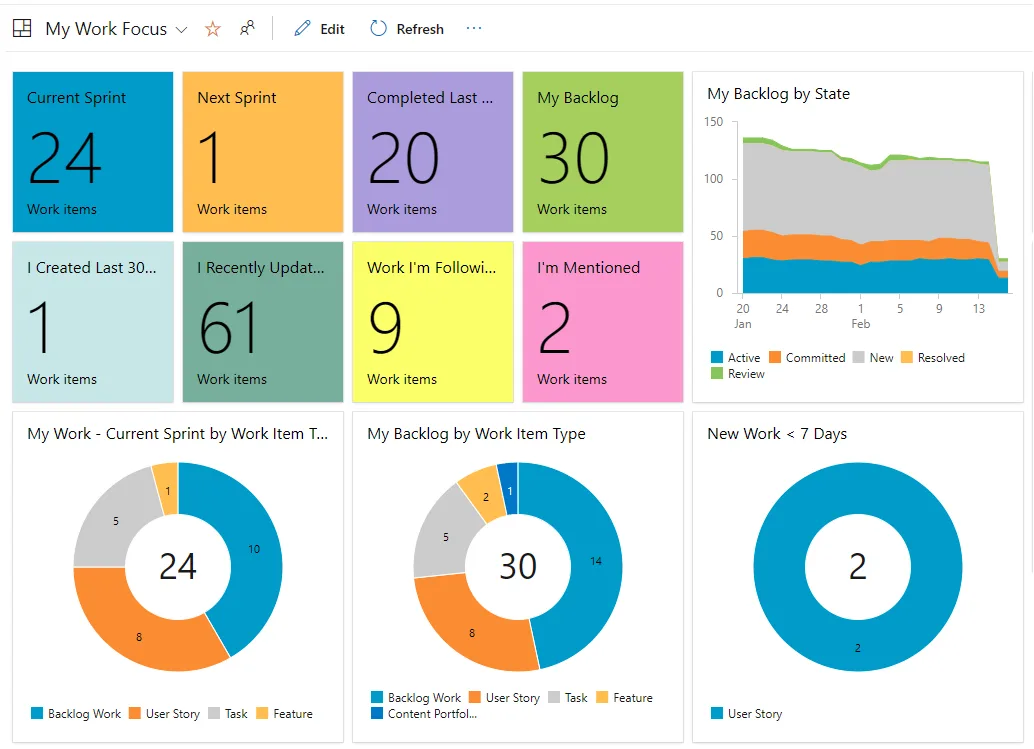
Azure DevOps Explained in Practical Terms
Azure DevOps explained in simple words is a platform that helps teams plan, build, test, and release software in a controlled and automated way. However, it is not just a tool. Instead, it is a complete environment that connects developers, testers, and operations teams.
If you look at real projects in 2026, you will see faster release cycles, automation everywhere, and strong collaboration between teams. Therefore, Azure DevOps for cloud professionals becomes a strategic layer that sits above Azure infrastructure and plays a major role in shaping a successful cloud computing career in 2026.
So when someone asks What is Azure DevOps beginner guide, the real answer is this. It is a structured way to manage the entire software lifecycle using Microsoft tools and automation practices.
Azure DevOps SDLC Overview
Before going deeper, let us understand the Azure DevOps SDLC overview.
Every software project follows stages. First planning. Then coding. After that testing. Finally deployment and monitoring. However, in traditional setups these stages often work in silos.
Azure DevOps services overview shows how these stages connect in one place. As a result, teams avoid confusion, manual errors, and release delays.
Therefore, Azure DevOps workflow explained includes:
Work tracking
Version control
Build automation
Release pipelines
Test management
Because everything stays integrated, visibility improves across the organization.
Azure DevOps Components and Features
Now let us break down Azure DevOps components and features in detail.
1. Azure Boards
Azure DevOps boards and repos guide often starts with Boards. Boards help manage tasks, bugs, user stories, and sprint planning. However, it is not just a ticket tool. Instead, it connects work items directly to code and builds.
Therefore, managers and engineers see progress clearly.
2. Azure Repos
Azure DevOps version control with Repos allows teams to manage Git repositories securely. It supports branching strategies, pull requests, and code reviews. Because version control is central to DevOps, this feature becomes critical.
Azure DevOps boards and repos guide shows how linking commits to work items improves traceability.
3. Azure Pipelines
Azure DevOps CI/CD pipelines basics focus on automation. Pipelines build code, run tests, and deploy applications automatically. Therefore, manual deployment risks reduce significantly.
In Azure DevOps tutorial 2026, pipelines support container builds, Kubernetes deployments, and multi stage releases, similar to what an OpenShift administrator does in real job environments. As cloud native architecture grows, automation becomes mandatory.
4. Azure Test Plans
Testing is often ignored. However, Azure DevOps components and features include structured testing tools that support manual and automated tests.
5. Azure Artifacts
Artifacts manage package feeds and dependencies. Therefore, teams maintain version consistency.
Together, these tools form the Azure DevOps services overview.
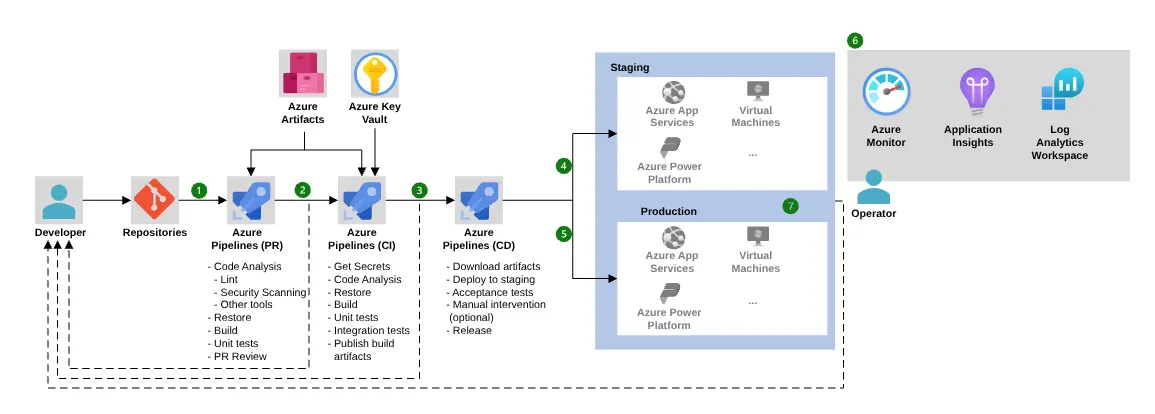
Azure DevOps CI/CD Pipelines Basics
CI means continuous integration. CD means continuous delivery. However, in practice it means small code changes get tested and deployed automatically.
Azure DevOps CI/CD pipelines basics allow:
Automated build triggers
Test execution on every commit
Staged deployment approvals
Rollback strategies
Because of this automation, deployment fear reduces. Therefore, release frequency increases.
In this What is Azure DevOps beginner guide, understanding CI/CD is central. Without pipelines, DevOps remains theory.
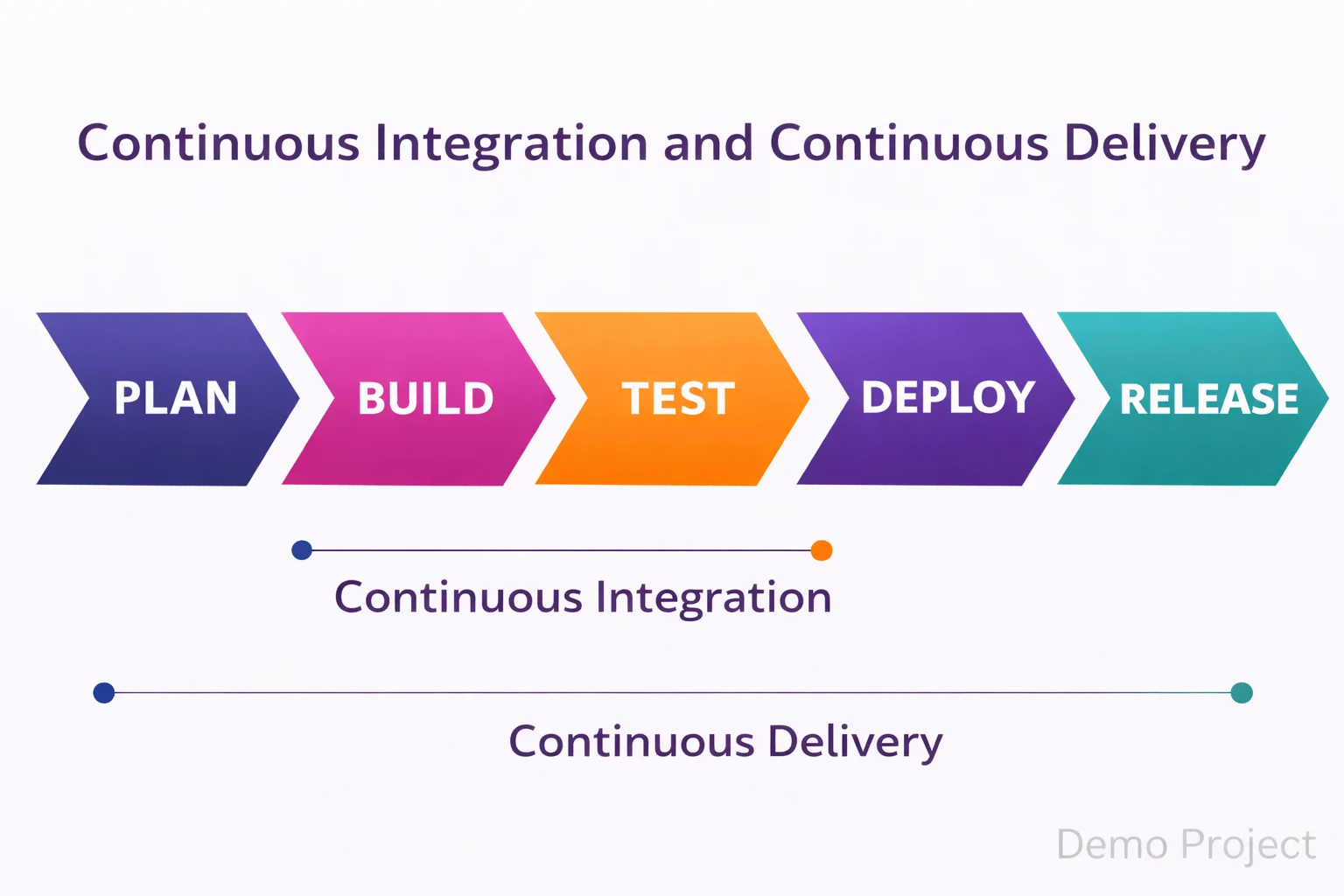
Azure DevOps Project Setup Guide
Now let us discuss Azure DevOps project setup guide from a real implementation view.
First, create an organization. Then create a project. After that configure Boards and Repos. Next, define branching strategy. Finally, set up pipelines.
Azure DevOps step by step guide usually follows this order:
Create project
Import or create repository
Configure build pipeline
Add release pipeline
Connect environments
Because each step connects to the next, workflow becomes structured.
Azure DevOps Workflow Explained
Azure DevOps workflow explained in simple flow:
Idea to Board item
Board item to Code commit
Code commit to Pipeline
Pipeline to Deployment
Deployment to Monitoring
Therefore, visibility stays end to end.
Azure DevOps tools checklist for professionals should include:
Git strategy defined
Branch protection rules
Automated testing enabled
Multi environment pipelines
Security scanning
Azure DevOps vs DevOps Differences
Many professionals confuse Azure DevOps vs DevOps differences.
DevOps is a culture and methodology. However, Azure DevOps is a platform that supports DevOps practices.
Therefore, DevOps can exist without Azure DevOps. But Azure DevOps helps implement DevOps properly using structured tools.
Understanding Azure DevOps vs DevOps differences prevents conceptual confusion.
Azure DevOps Benefits for Professionals
Azure DevOps benefits for professionals go beyond automation.
First, improved collaboration.
Second, faster releases.
Third, audit visibility.
Fourth, career growth.
Azure DevOps key advantages 2026 include strong integration with cloud native stacks, container ecosystems, and hybrid cloud deployments.
Therefore, Azure DevOps for cloud professionals becomes a career multiplier.
How to Get Started with Azure DevOps
If you are thinking about how to get started with Azure DevOps, follow this practical path.
Start with Azure DevOps tutorial 2026 hands on labs. Then build a simple CI/CD pipeline. After that integrate it with Azure App Service or Kubernetes. If you are confused about orchestration platforms, this OpenShift vs Kubernetes beginner guide helps clarify the differences. Finally, experiment with approval gates and release stages.
Azure DevOps beginner tips include:
Start small with one project
Use YAML pipelines
Implement branch policies
Track deployment metrics
Because practical exposure builds clarity, theory alone is not enough.
Azure DevOps Best Practices
Azure DevOps best practices help avoid common mistakes.
Use infrastructure as code and follow strong declarative resource management concepts to ensure predictable deployments.
Keep pipelines modular.
Implement least privilege access.
Review pull requests properly.
Monitor build performance.
Azure DevOps workflow explained becomes powerful only when discipline exists.
Azure DevOps Certification Guide AZ-400
For career growth, Azure DevOps certification guide AZ-400 is relevant. This certification focuses on designing DevOps strategy, implementing CI/CD, managing source control, and security integration.
However, certification without real practice does not help. Therefore, combine learning with live projects.
Azure DevOps Key Advantages 2026
In 2026, speed matters. However, stability matters more. Azure DevOps key advantages 2026 include automation reliability, audit compliance, and enterprise grade integration.
Therefore, What is Azure DevOps beginner guide is not just a definition article. Instead, it is a strategic shift for professionals who want structured software delivery.
About KR Network Cloud
KR Network Cloud is a leading IT training institute that provides practical cloud and DevOps training programs aligned with industry needs. The focus remains on real implementation, live project exposure, and certification readiness. Therefore, professionals who want structured guidance in Azure DevOps for cloud professionals can benefit from hands on learning designed for real career growth.
Conclusion
So, what is Azure DevOps beginner guide truly about?
It is about connecting planning, coding, testing, and deployment into one smooth system. It is about removing manual steps. It is about improving collaboration. Most importantly, it is about building reliable CI/CD pipelines that support modern cloud applications.
If you already understand Azure infrastructure, then Azure DevOps becomes your next logical upgrade. Therefore, start small, build pipelines, follow best practices, and move toward structured delivery.
That is how you move from cloud user to delivery architect.